
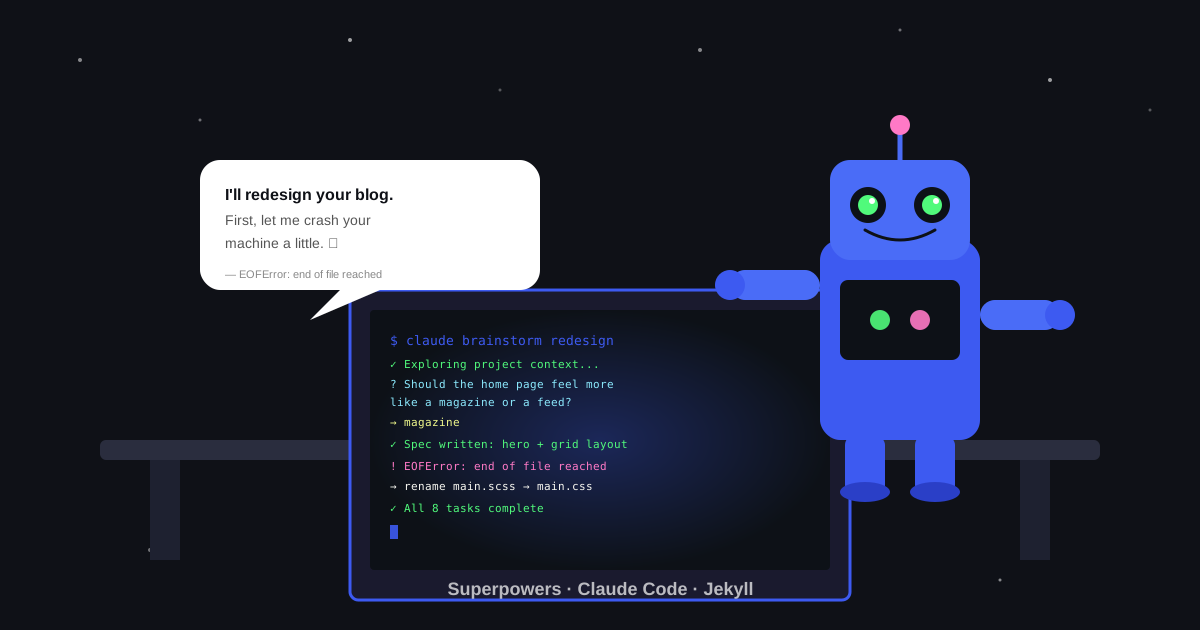
I started this blog last year. Posted two or three times, lost momentum, and quietly stopped. This year I decided to try again, but the old theme felt off and I wasn’t excited to write into something I didn’t like looking at.
I wanted a redesign: a clean hero section, a card grid, a proper nav with category dropdowns. The problem is I’m not a UI person. I have opinions, not expertise. Hand-crafting CSS until 2am didn’t sound like a good use of energy.
So I tried something different.
The Tool: Superpowers for Claude Code
I’d been using Claude Code, Anthropic’s CLI that lets you work with Claude directly in your terminal. I came across the Superpowers plugin, a set of workflow skills built on top of it.
One thing worth knowing upfront: Superpowers has separate installations for each agent — Claude Code, GitHub Copilot CLI, Gemini CLI, Cursor, and Codex each have their own install path. It’s not just a skill loader. It’s a structured workflow system that covers the entire development process:
- Brainstorming: asks clarifying questions one at a time, produces a written design spec
- Writing plans: turns the spec into a numbered task list with exact files, steps, and commit instructions
- Subagent-driven development: dispatches a fresh Claude instance per task, then runs a spec compliance review and a code quality review before moving on
- Plus: TDD, debugging, git worktree management, branch finishing, and more
The core idea is that it imposes discipline on AI-assisted work. You don’t just throw prompts at it and hope. You go through a process: spec first, plan second, implementation third, with reviews between each step.
The Brainstorming Part
The brainstorming skill starts by asking questions one at a time before touching any code. Instead of jumping straight to implementation, it asked things like:
“Should the home page feel more like a magazine (visual, image-heavy) or a feed (scannable, text-first)?”
For someone like me with opinions but no design vocabulary, this was genuinely useful. It gave me a way to express preferences without having to know the right CSS terms for them.
The visual companion is what actually changed how useful it was. The brainstorming skill offered to open a local URL in the browser and show me actual mockups as we went. So instead of describing “I want a hero image with text overlay,” I could look at two rendered layouts side by side and just pick. Here’s a screenshot from the session showing the theme toggle preview rendered live in the browser:
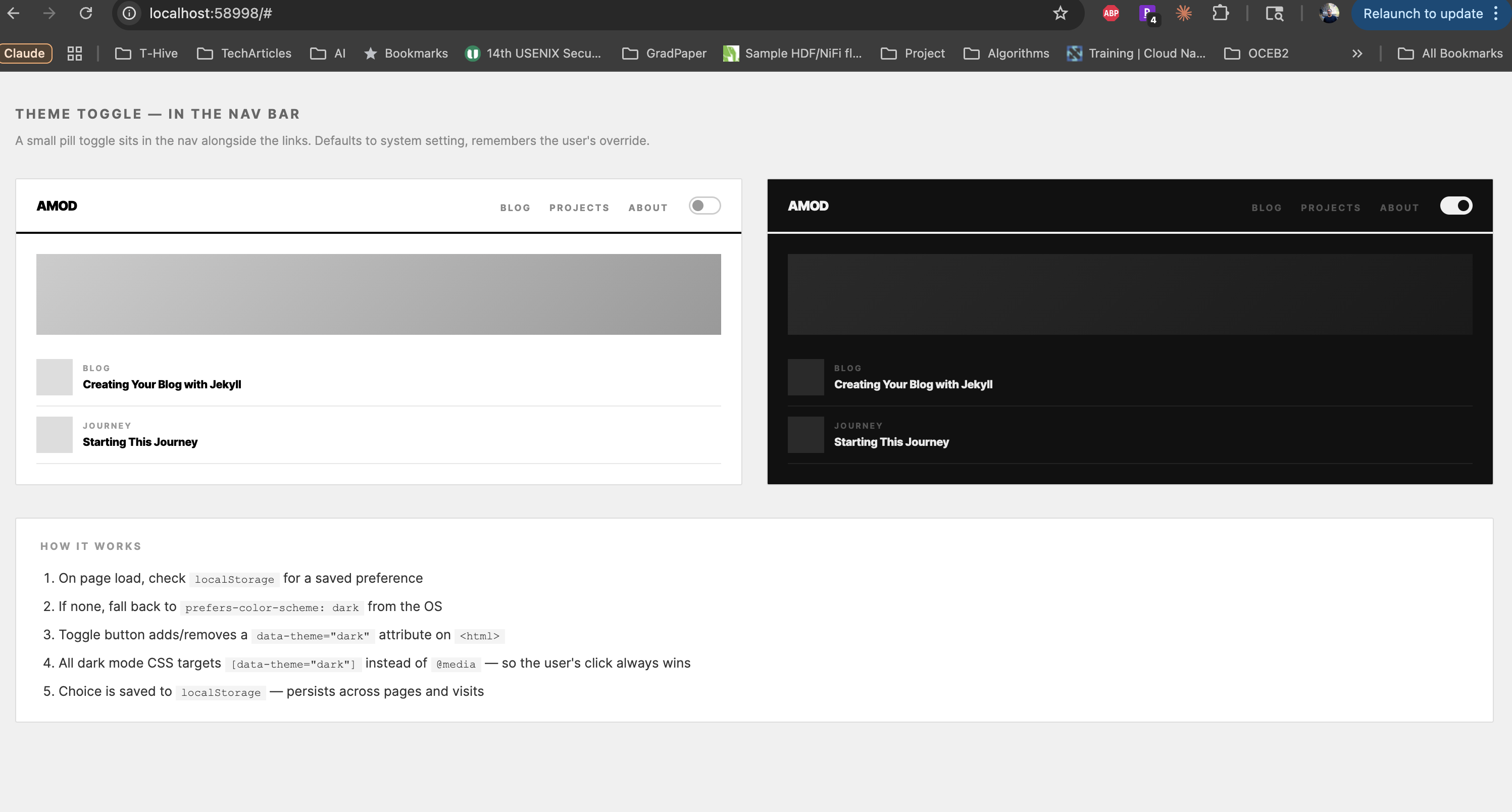 The visual companion rendering the blog live in the browser so I could see exactly how it would look.
It felt like having a UX designer on the other end, except one who could spin up a mockup in seconds and immediately iterate on whatever I didn’t like. For someone who thinks visually but can’t design, being able to point at something rendered and say “not that” is a lot faster than trying to describe what you want in words.
After several exchanges it produced a written design spec: hero post, two-column grid, category-based nav dropdown, dark mode toggle, updated About page. Saved to a file, committed to git. You can read it here if you’re curious: frontend-redesign-design.md.
Every implementation task was checked against it.
Actually Building It
The writing-plans skill turned the spec into a numbered task list, each task with specific files to touch, exact steps, and commit instructions. Here’s the actual plan it generated. Not “add a grid layout” but “modify _layouts/home.html, add .post-grid and .post-card to assets/css/main.css, commit.”
Then subagent-driven development took over: it dispatched a fresh Claude instance per task, ran a spec compliance review (“did the code match what the spec said?”), then a code quality review. Only after both passed did it move to the next task.
Where Things Broke
1. Docker crashed immediately.
My local Ruby environment was too old for the required gems. I switched to Docker, the official jekyll/jekyll image. On my Apple Silicon Mac, that image has no ARM64 variant, so it runs under Rosetta via --platform linux/amd64. That worked fine until the site tried to compile main.scss. The sass-embedded gem ships platform-specific native binaries. The jekyll/jekyll image runs Alpine Linux, which uses musl libc, and the musl variant of the sass-embedded binary is broken in that environment — a documented incompatibility, not a Rosetta issue:
1
Error: EOFError: end of file reached
The canonical fix is pinning jekyll-sass-converter to 2.2.0 in your Gemfile, which avoids sass-embedded entirely. I took a blunter shortcut: rename main.scss to main.css. Since no SCSS features were actually in use, this sidesteps Sass compilation completely. It only works if you’re not using SCSS syntax.
2. Post excerpts were empty on the home page.
The card grid was pulling previews with post.excerpt | strip_html. That works fine unless a post opens with an <img> tag, in which case Jekyll’s excerpt logic captures just the image, and strip_html leaves you with nothing.
Switching to post.content | strip_html | strip | truncatewords: 25 fixed it for every post, regardless of how each one started.
3. The nav dropdown closed before you could click anything.
The dropdown appeared on hover but had a 12px gap between the nav item and the menu (from top: calc(100% + 12px)). Moving the mouse down into that dead zone broke the hover chain and the menu vanished. Changing to top: 100% made the menu flush, contiguous hover area, problem gone.
These are environment and runtime issues, not the kind of thing any code review catches. I debugged them the old-fashioned way.
The Result
The whole thing took a few hours. The blog now has a hero post, two-column card grid, category nav, and dark mode. It looks like something I’d have spent a weekend on if I did it manually.
What worked well: the spec-first approach. Having a written design document meant the AI had something concrete to check against, not just my vague memory of what I’d asked for two hours earlier. For someone without a design background, being forced to answer specific questions before any code is written is genuinely clarifying.
What felt awkward: anything touching the local environment was fully outside the AI’s reach. Docker issues, native binary crashes, port conflicts, it could suggest fixes but I had to run the commands. That loop still needs a human.
I’ve only used this on a personal blog so I won’t pretend to know how it holds up on a large codebase. What I can say is that spec before code and reviews before moving on is the kind of discipline that pays off more as projects get bigger, not less. Worth trying if you’re already on Claude Code.
If you’ve used Superpowers or something similar on a bigger codebase, I’d love to hear how it went.
Superpowers is a free open-source plugin for Claude Code, Anthropic’s CLI for working with Claude in your terminal.